

Social Media Automation Tools Guide: Best Platforms & Strategies (2026)

TL;DR - Quick Answer
18 min readAutomate the boring, elevate the human. Let AI handle grunt work so humans craft stories.
Quick Answer: Best Social Media Automation Tools
Top Social Media Automation Tools:
- SocialRails - All-in-one scheduling and automation
- Buffer - Simple scheduling interface
- Hootsuite - Enterprise social media management
- Later - Visual content planning
- Sprout Social - Advanced analytics and reporting
What You Can Automate:
- ✅ Post scheduling across multiple platforms
- ✅ Content calendar management
- ✅ Basic response templates
- ✅ Analytics reporting
- ✅ Cross-posting between platforms
What You Should NOT Fully Automate:
- ❌ All customer responses (needs human touch)
- ❌ Crisis communication
- ❌ Complex customer service inquiries
- ❌ Community relationship building
Create content, post everywhere
Create captions, images, and videos with AI. Schedule to 9 platforms in seconds.
Start your free trial
How to Use AI & Automation Without Losing Authenticity
Social media automation tools save time, but using them correctly is key. You can safely automate scheduling, reporting, and routine tasks while keeping human oversight for engagement and community management.
1. AI Content Generation Tools & Best Practices
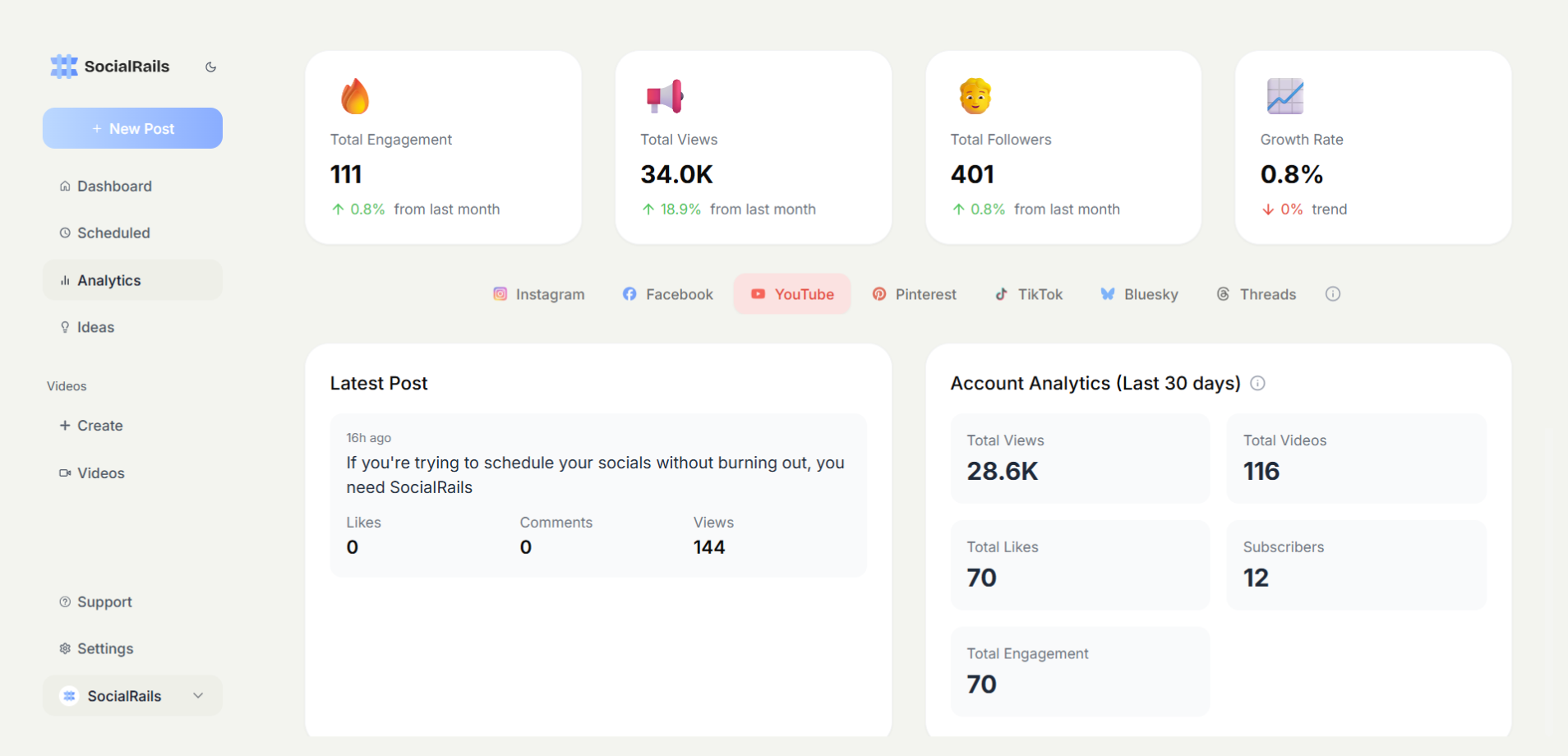
Learn how to create unique AI-generated content that ranks well and provides value. For content covering financial or health topics, understand YMYL (Your Money or Your Life) standards to ensure quality.
1.1 Tool Landscape (2026)
Reality check: No tool is "set & forget." Always review for factual accuracy and tone alignment.
1.2 Prompt Engineering Framework
- Context – Who is the audience? (e.g., "LinkedIn B2B CMOs")
- Goal – What action do we want? (e.g., "download our guide")
- Voice – Brand adjectives (e.g., "friendly, data-driven")
- Constraints – Character limits, compliance rules
- Examples – High-performing legacy posts
Write a 150-character LinkedIn hook for CMOs explaining why AI saves 20 hours/week. Tone: friendly, data-driven. Include stat & question.
1.3 Human Review Checklist
- Verify statistics with source links
- Check inclusivity & accessible language
- Ensure brand terminology consistency
- Add personal anecdote or viewpoint
A quick human review of AI-generated content significantly improves quality and authenticity.
2. Chatbot Implementation & Conversation Design
2.1 Choosing the Right Chatbot Model
2.2 Conversation Tone Ladder
- Polite automation – Clear that bot is helping ("Hi, I'm Ava, the SocialRails assistant")
- Contextual replies – Uses customer name & past history
- Empathic responses – Acknowledges emotion ("Sorry that caused frustration…")
- Escalation cues – Handoff signals like "Let me bring a human in."
Good bots answer 70% of queries autonomously. Great bots know when to get out of the way.
2.3 Deployment Safeguards
- Rate-limit: Cap to 5 replies/person/minute to prevent spam flags
- Off-hours failover: Human on-call list
- Red-flag dictionary: Escalate legal, medical, or harassment topics automatically
3. Automated Response Systems & Customer Service Workflows
3.1 Priority Matrix
Automating low-risk tiers saves ~12 staff hours/week for mid-size brands.
3.2 SocialRails Smart Replies Workflow
- AI scores sentiment & intent
- Suggests 3 draft replies
- Agent selects/edits best option
- System posts & tags conversation ID
Teams report 55% faster resolution with equal CSAT scores versus manual.
4. Predictive Analytics & Content Optimization
4.1 Engagement Forecasting
Predictive models analyze historical likes, shares, and scroll-depth to suggest:
- Optimal posting time (e.g., 08:17 AM local)
- Format mix (carousel vs. reel vs. poll)
- Topic resonance score
A/B tests show +28% engagement when using AI-recommended schedules versus static calendars.
4.2 Content Fatigue Detection
AI flags when audience shows interaction drop >15% on a repeated topic, prompting ideation of fresh angles.
5. Ethical AI Use & Transparency Requirements
5.1 Disclosure Best Practices
- Label AI-generated visuals with "Created using AI art tool."
- Use hash-tags like #AICreated where platform policies require.
- Disclose chatbot nature in first interaction.
5.2 Bias & Hallucination Mitigation
Regulations (EU AI Act, US Algorithmic Accountability Act) will penalize undisclosed AI marketing, so plan audits now.
6. Human-AI Collaboration Frameworks
6.1 RASCI for AI Projects
6.2 Weekly Sprint Ritual
- Monday – Review AI performance dashboard (accuracy, engagement delta)
- Tuesday – Train models with top community questions
- Wednesday – Human brainstorm for upcoming campaigns
- Thursday – AI generates variants; humans curate
- Friday – Publish + retrospective
This cadence blends machine speed with human creativity.
7. 90-Day AI Automation Rollout Plan
FAQs (Voice-Ready)
Can AI fully replace human social media managers?
No. AI excels at repetitive tasks, but humans remain essential for strategy, empathy, and creative judgment.
How do I keep AI-generated posts on-brand?
Create detailed voice guidelines and always perform a quick human edit before publishing.
What's the best free AI tool to start with?
SocialRails offers a 3-day trial that includes AI caption suggestions and scheduling, which is enough to test the workflow.
How do I measure authenticity after automation?
Track metrics like comment sentiment, follower retention, and survey feedback alongside engagement stats.
Are AI chatbots allowed on every platform?
Most platforms permit them if you disclose and follow API terms. Always check updated policies.
How much training data do I need?
Start with as little as 50 high-performing past posts for tone tuning; improve over time.
Key Takeaways
- Automate the boring, elevate the human. Let AI handle grunt work so humans craft stories.
- Prompt engineering is the new copywriting. Clear prompts = quality outputs.
- Guardrails matter. Build review loops, disclosure, and bias checks.
- Data fuels improvement. Continuously feed performance back into models.
- Tools are means, not ends. Focus on audience value, not flashy tech.
Frequently Asked Questions
Can AI completely replace human social media managers?
No, AI cannot fully replace human social media managers. While AI excels at repetitive tasks like scheduling posts, generating content variations, and basic customer service, humans remain essential for strategy, creative judgment, empathy, crisis management, and building authentic relationships with audiences.
How do I keep AI-generated content authentic to my brand voice?
Create detailed brand voice guidelines with specific examples, tone descriptors, and vocabulary preferences. Always perform human review and editing before publishing AI content. Fine-tune AI models on your existing high-performing content, and use prompts that include your brand personality traits and communication style.
What percentage of social media tasks can be safely automated with AI?
You can safely automate 60-70% of social media tasks including content ideation, scheduling, basic moderation, analytics reporting, and initial customer service responses. Keep human oversight for strategy decisions, creative approval, community engagement, crisis response, and relationship building.
Are AI chatbots allowed on all social media platforms?
Most major platforms permit AI chatbots if you properly disclose their use and follow platform API terms of service. Always check current platform policies as they evolve frequently. Transparency about bot interactions is both ethical and often required by platform rules.
How much training data do I need to customize AI for my brand?
You can start with as little as 50 high-performing posts for basic tone customization. For better results, use 200-500 examples across different content types. The key is quality over quantity - use your best-performing, most on-brand content as training examples.
What are the biggest risks of using AI for social media marketing?
Major risks include generating incorrect information, creating culturally insensitive content, producing generic messaging that lacks authenticity, potential bias in targeting or responses, and over-reliance on automation without human oversight. Mitigation requires human review, bias testing, and ethical AI practices.
How do I measure if AI automation is actually improving my social media performance?
Track key metrics including content production efficiency, engagement rates, response time improvements, cost per post creation, and audience sentiment. Compare performance before and after AI implementation, focusing on both efficiency gains and quality maintenance.
Should I disclose when content is AI-generated?
Yes, transparency is both ethical and often legally required. Use clear labels like "AI-created," include hashtags like #AIGenerated where required, and disclose chatbot interactions upfront. Regulations are evolving to require AI disclosure in marketing communications.
Which AI tasks should I prioritize first as a beginner?
Start with content scheduling and basic caption generation, then move to analytics reporting and simple customer service responses. These tasks offer immediate efficiency gains with lower risk. Avoid complex automation like crisis management or strategic decision-making initially.
How do I prevent AI from making my social media content sound robotic?
Use conversational prompts, include specific brand personality instructions, vary content formats and styles, always add human editing, incorporate current events and trending topics, and mix AI-generated content with human-created posts. Regular human review is essential for maintaining authenticity.
Want to deploy AI responsibly and effectively? Try SocialRails to generate on-brand captions, images and video, schedule across 9 platforms, and review everything yourself before it publishes.
© 2026 SocialRails. Written by Matt. Real humans and ethical AI collaborated on this guide to serve you better.
Was this article helpful?
Let us know what you think!