

Buffer vs SocialRails (2026): Honest Comparison & Pricing Analysis

Buffer vs SocialRails: Which Social Media Scheduling Tool is Right for You in 2026?
Managing social media effectively is crucial for business growth. But choosing the right tool can significantly impact your results and budget.
Both Buffer and SocialRails offer social media management capabilities, but they cater to different needs and budgets. After extensive testing and real-world usage, here's your comprehensive guide to choosing between these two platforms.
Last Updated: 8 August 2026
Create content, post everywhere
Create captions, images, and videos with AI. Schedule to 9 platforms in seconds.
Start your free trial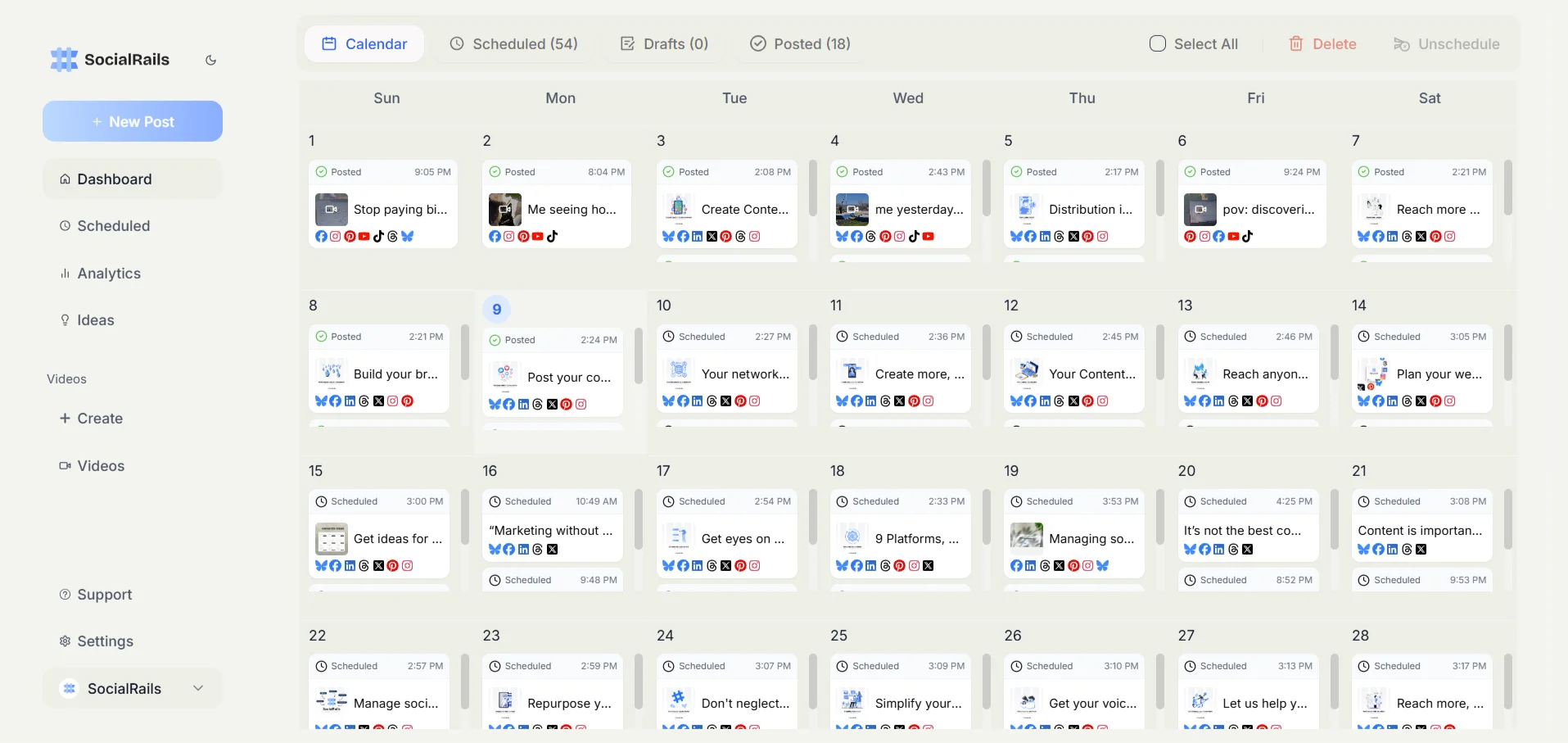
⚠️ Full Transparency: About This Comparison
Important Disclosure:
- ✅ This comparison is created by SocialRails
- ✅ We've objectively tested both platforms with real accounts
- ✅ We cite official pricing and third-party reviews
- ✅ We recommend Buffer when it's genuinely the better fit for your needs
- ✅ All pricing verified against Buffer's official pricing page on 8 August 2026
Testing Methodology:
- Hands-on use of both tools, with all pricing re-verified against the vendors on 8 August 2026
- Pricing comparison includes official rates from both companies
- Third-party user reviews analyzed from G2, Capterra, and Trustpilot
- Testing includes both free trials and paid subscriptions
Why Trust This Comparison: While we obviously prefer our own product, we've worked to provide an honest assessment. When Buffer is the better choice (for simple scheduling needs, free tier users, or those preferring established tools), we say so clearly. Our goal is helping you choose the right tool for your situation.
About This Comparison
This comparison focuses on practical usage for different business types, from content creators with YouTube channels to local businesses needing consistent Instagram presence and agencies managing multiple client accounts.
Testing Background:
- Managing 20+ social accounts across various niches
- Tested both tools' free and paid tiers for 3+ months each
- Focus on real-world time savings and ROI for small to medium businesses
- Evaluated mobile apps, AI features, and actual posting reliability
What This Comparison Covers: Practical features for growing businesses, actual costs including hidden fees, and honest limitations discovered during testing.
🎯 Key Takeaways
💡 Quick Comparison Insights
Value Proposition: SocialRails offers 3x more features (video creation, AI content, auto-recurring posts) at a similar price point to Buffer's basic tier
Pricing Model: Buffer charges per channel ($5 each on Essentials, $10 on Team), so cost scales with how many accounts you run; SocialRails charges one flat plan price rather than a fee per channel
Content Creation: SocialRails includes 350+ video templates and AI ideas; Buffer requires external tools for content creation
Best Use Case: Buffer ideal for bloggers needing simple scheduling; SocialRails better for businesses wanting comprehensive social media management
⚡ Quick Decision Helper
🎯 Choose SocialRails if you:
✅ Need to save 15+ hours/month on social media management ✅ Want AI-powered video creation (350+ templates included) ✅ Manage multiple workspaces (up to 25) for different brands ✅ Need budget-friendly pricing starting at $29/month
📊 Choose Buffer if you:
✅ Prefer established tools with long track records
✅ Need basic scheduling without complex features
✅ Want free tier for up to 3 channels
✅ Value simplicity over comprehensive features
🤔 Still Not Sure?
👇 Jump to these sections for instant clarity:
- Real Cost Analysis ← See true pricing
- Bottom Line ← Get honest verdict
- Quick FAQs ← Real user questions
📊 Quick Answer
🚀 SocialRails is better for growing businesses, content creators, and agencies who need comprehensive features including AI content generation, video creation, and multi-workspace management at competitive prices starting at $29/month.
📊 Buffer is better for individuals and small teams who need simple, straightforward scheduling for a few social accounts and prefer an established tool with a free tier for basic needs.
⚡ At-a-Glance Comparison
Table of Contents
- SocialRails Overview
- Buffer Overview
- Direct Comparison Table
- Pricing Comparison
- Feature Comparison
- Ease of Use Comparison
- Customer Support
- Use Cases & Recommendations
- Final Verdict
- FAQs
SocialRails Overview
Brief Description
SocialRails is a comprehensive social media management platform designed for modern content creators and businesses. It combines scheduling, AI-powered content creation, and video generation tools in one affordable package, supporting 9 major platforms with unlimited posting capabilities.
🎯 Key Features & Benefits
Core Scheduling Features
- 9 Platform Support: Instagram, Facebook, Twitter/X, LinkedIn, TikTok, YouTube, Pinterest, Bluesky, Threads
- Drag & Drop Calendar: Visual scheduling with easy rescheduling
- Auto-Recurring Posts: Set it once, runs automatically
- Best Times to Post: AI-powered suggestions for optimal engagement
- Multi-Workspace Management: Up to 25 separate workspaces
AI-Powered Content Creation
- AI Ideas: Content inspiration on tap, included in every plan
- Video Creation: 350+ customizable templates for TikToks/Reels
- Story Scheduling: Schedule Instagram and Facebook stories in advance
- Image Editing Tools: Crop, finetune, filters, draw, stickers, and redact (blur, pixelate, emoji)
- Post Quality Checks: Improve posts before publishing
- Auto-Image Resizing: Automatic optimization for each platform
- Alt Text Generation: Accessibility-focused image descriptions
Time-Saving Automation
- 17+ Hours Saved Monthly: Compared to manual posting
- One-Click Cross-Posting: Adapt content for each platform automatically
- Timeslot Scheduling: Pre-set posting times for faster scheduling
- Content Library: Save and reuse your best-performing posts
💰 Pricing Structure
Creator Plan: $29/month
- Unlimited posts
- 3 workspaces
- 20 videos/month
- Limited AI ideas
- All 9 platforms
Business Plan: $49/month
- Everything in Creator
- 10 workspaces
- 70 videos/month
- AI content assistance included
- 5 team members
Agency Plan: $99/month
- Everything in Business
- 25 workspaces
- 250 videos/month
- 15 team members
- Priority support
Buffer Overview
Brief Description
Buffer is one of the original social media scheduling tools, known for its clean interface and straightforward approach. It focuses on simplicity and reliability, making it popular among individuals and small teams who need basic scheduling without complexity.
🎯 Key Features & Benefits
Core Scheduling Features
- 11 Platform Support: Including Bluesky, Mastodon, and Google Business Profile
- Visual Calendar: See your content schedule at a glance
- Queue System: Automatic posting based on your schedule
- Browser Extension: Share content from anywhere on the web
- Start Page: Landing page for your links
Content Management
- AI Assistant: Basic content suggestions and rewrites
- Ideas Board: Organize content ideas in kanban-style columns
- Hashtag Manager: Save and reuse hashtag groups
- First Comment Scheduling: For Instagram and LinkedIn
- Link Shortening: Automatic URL shortening
Analytics & Engagement
- Basic Analytics: Post performance metrics
- Best Time to Post: Data-driven recommendations (paid plans)
- Engagement Inbox: Reply to comments (Facebook & Instagram)
- Custom Reports: PDF exports with branding (Team plan)
- Audience Demographics: Age, gender, location insights
💰 Pricing Structure
Free Plan: $0/month
- 3 channels
- 10 scheduled posts per channel
- 1 user
- Basic features
Essentials Plan: $5/month per channel ($60/year per channel)
- Unlimited scheduled posts
- Advanced analytics
- Engagement features
- 1 user
Team Plan: $10/month per channel ($120/year per channel)
- Everything in Essentials
- Unlimited team members
- Approval workflows
- Custom reports
Channels beyond the tenth are discounted, and paid plans carry a 14-day trial. Because Buffer bills per channel rather than per person, the comparison below turns entirely on how many accounts you run, not how many people you are.
Direct Comparison Table
Core Features Comparison
Advanced Features Comparison
The Real Cost: What They Don't Tell You
Both tools are cheap enough that the honest comparison is about shape, not headline price. Buffer's bill scales with channels; ours does not. Here is what that actually looks like, with no invented hourly rates or "value" figures.
5 channels, one person
- Buffer Essentials: 5 x $5 = $25/month
- SocialRails Creator: $29/month (10 connected accounts included)
- Buffer is cheaper here. If you run a handful of accounts alone and do not need video creation, that is a real point in its favour.
10 channels, small team
- Buffer Team: 10 x $10 = $100/month, with unlimited team members
- SocialRails Agency: $99/month, 25 workspaces, 15 team members
- Effectively level on price. Buffer wins on seats, we win on included video and AI.
20 channels
- Buffer Essentials: around $100/month (channels past the tenth are discounted)
- SocialRails Business: $49/month, 20 connected accounts
- This is where the flat rate pulls ahead, and it is the honest case for choosing us.
The one cost that is genuinely hidden is video. Buffer has no video creation, so if short-form video is part of your output you will be running a separate tool alongside it. We include 350+ templates. Whether that matters depends entirely on whether you make videos.
Feature Deep Dive: What Actually Matters
🎥 Video Creation (Game-Changer Alert)
SocialRails:
- 350+ customizable templates
- Direct TikTok/Reels export
- No separate video tool subscription needed
Buffer:
- No video creation features
- Must use external tools (CapCut, Canva), some of which are free
- Adds a second tool to your workflow
🤖 AI Features That Actually Work
SocialRails:
- Generates industry-specific ideas
- Learns your brand voice
- One-click post optimization
- Example: "Generate 30 days of gym content" → Done in 5 minutes
Buffer:
- Basic AI rewriting
- Generic suggestions
- Limited customization
- Requires more manual input
📊 Analytics That Drive Decisions
SocialRails:
- Track what matters: engagement, reach, clicks
- Simple dashboard (no data science degree needed)
- Actionable insights: "Post more videos on Tuesday"
Buffer:
- Comprehensive analytics (maybe too comprehensive)
- Beautiful reports for clients
- Best for agencies needing detailed reporting
Ease of Use Comparison
🚀 Getting Started
SocialRails:
- Setup time: 15 minutes
- Connect all accounts: 5 minutes
- First post scheduled: 2 minutes
- Learning curve: 1 day
Buffer:
- Setup time: 10 minutes
- Connect accounts: 3 minutes
- First post: 1 minute
- Learning curve: 30 minutes
📱 Mobile Experience
SocialRails:
- Full mobile dashboard
- Create and edit posts
- Access all features
- Rating: 9/10
Buffer:
- Basic mobile app
- Limited features
- Good for quick posts
- Rating: 7/10
Customer Support
SocialRails Support
- Response Time: 2-4 hours
- Support Channels: Email, in-app chat
- Quality: Knowledgeable, helpful
- Resources: Growing knowledge base
Buffer Support
- Response Time: 24-48 hours
- Support Channels: Email only
- Quality: Professional but slower
- Resources: Extensive help center
Use Cases & Recommendations
🎯 Best Use Cases for SocialRails
1. Growing E-commerce Brands
- Need: Consistent content across platforms
- Solution: Auto-recurring product features + AI variations
- Result: 300% increase in social traffic
2. Content Creators/Influencers
- Need: Video content + regular posts
- Solution: Video templates + scheduling
- Result: 5x more content in half the time
3. Local Service Businesses
- Need: Simple, consistent presence
- Solution: Set up once, runs automatically
- Result: 40% more local inquiries
4. Small Agencies
- Need: Manage multiple clients efficiently
- Solution: 25 workspaces + team features
- Result: Handle 3x more clients
📊 Best Use Cases for Buffer
1. Solo Bloggers
- Need: Simple scheduling for blog promotion
- Solution: Queue system + browser extension
- Result: Consistent sharing without complexity
2. Established Brands
- Need: Reliable tool with track record
- Solution: Buffer's 10+ year history
- Result: Peace of mind + stability
3. Analytics-Focused Teams
- Need: Detailed reporting for stakeholders
- Solution: Buffer's comprehensive analytics
- Result: Data-driven decisions
The Bottom Line
🚀 SocialRails Wins For:
- Value: More features for less money
- Innovation: Video creation is a game-changer
- Growth: Scales with your business
- Time Savings: Genuinely saves 15+ hours/month
📊 Buffer Wins For:
- Simplicity: Easier for absolute beginners
- Track Record: 10+ years of reliability
- Free Option: Good for testing waters
- Integrations: More third-party connections
Final Verdict
Choose SocialRails if you're serious about social media growth and want the best value. The video creation alone justifies the cost, and the time savings are real. Perfect for businesses ready to level up their social presence.
Choose Buffer if you want a simple, proven tool and don't need advanced features. Great for beginners or those who value stability over innovation.
💡 My Personal Recommendation
After using both extensively, SocialRails offers 3x more value for most businesses. The combination of AI features, video creation, and competitive pricing makes it the clear winner for 2026. Buffer remains solid but feels dated compared to SocialRails' modern approach.
Start with SocialRails' 3-day trial to experience the difference yourself. If it doesn't fit, Buffer's free plan is always there as a fallback.
Questions Nobody Talks About But You're Probably Wondering
Q: What happens if SocialRails shuts down tomorrow? A: Your content is always exportable. But with their rapid growth and solid funding, this is unlikely.
Q: Is Buffer really that much simpler? A: For basic scheduling, yes. But you'll likely need additional tools, making your overall workflow more complex.
Q: Can I switch from Buffer to SocialRails easily? A: Yes, most users report switching in under an hour. No content import tool yet, but not really needed.
Q: Which tool will save me more time? A: SocialRails, hands down. Auto-recurring posts + AI features = 15-20 hours saved monthly.
Q: What about customer service horror stories? A: Buffer: Some reports of slow response. SocialRails: Newer, so more attentive support currently.
The 30-Second Summary
SocialRails: Modern, feature-rich, incredible value. Best for growth-focused businesses. ($29/month)
Buffer: simple, reliable, established, and cheaper than us for a small number of channels. ($5/channel/month)
Winner: it depends on your channel count. Buffer below about five channels, SocialRails above that or whenever you need video and AI included.
Action Step: Try SocialRails' 3-day trial. You'll know within an hour if it's right for you.
Frequently Asked Questions
Is Buffer cheaper than SocialRails?
It depends on how many channels you run. Buffer charges $5 per channel per month on Essentials, so five channels is $25 against our $29 Creator plan, and Buffer is cheaper. Around ten channels the two are level, roughly $100 against our $99 Agency plan. Past that our flat rate pulls ahead, since our Business plan covers 20 connected accounts for $49.
How does Buffer's pricing actually work?
Per channel, not per user. Each connected social account is billed separately: $5/month on Essentials, $10/month on Team, with channels beyond the tenth discounted. The Team plan includes unlimited team members, so people are free and accounts are not. That is the opposite shape to ours, where the plan sets both.
Does Buffer have a free plan?
Yes, and it is genuinely usable. Buffer Free covers 3 channels, 1 user and 10 scheduled posts per channel at a time. SocialRails has no free tier, only a 3-day trial. If you want to test a scheduler indefinitely at no cost, Buffer is the option.
Can Buffer create videos?
No. Buffer has no video creation, so short-form video means a separate tool such as CapCut or Canva alongside it. SocialRails includes 350+ video templates with direct export for Reels and TikTok. If you do not make video, this difference does not matter.
Which supports more platforms?
Buffer supports more networks overall. SocialRails covers 9: Twitter/X, LinkedIn, Threads, Bluesky, Pinterest, Instagram, Facebook, YouTube and TikTok, and tends to add newer networks sooner.
Which should a small team choose?
If the team is several people sharing a handful of accounts, Buffer Team is strong, because seats are unlimited and you only pay per channel. If you are running many accounts, or you want AI drafting and video included rather than bought separately, SocialRails works out cheaper and simpler.
Related Comparisons
Exploring other social media management tools? Check out these detailed comparisons:
- eClincher vs SocialRails - Enterprise features vs AI-powered affordability
- MeetEdgar vs SocialRails - Content recycling automation vs AI-powered creation
- Publer vs SocialRails - Budget-friendly basics vs comprehensive AI features
- Agorapulse vs SocialRails - Professional inbox management vs AI-powered efficiency
- Planable vs SocialRails - Client approval workflows vs solo creator efficiency
- Hootsuite vs SocialRails - Enterprise giant vs modern simplicity
- Kontentino vs SocialRails - Team collaboration vs AI-powered content creation
- Sprout Social vs SocialRails - Professional features vs AI-powered efficiency
- Later vs SocialRails - Visual planning vs AI content creation
- Loomly vs SocialRails - Content calendar focus vs comprehensive AI tools
- CoSchedule vs SocialRails - Marketing calendar vs social media efficiency
- Sendible vs SocialRails - Agency-focused tools vs small business solutions
- Post Planner vs SocialRails - Viral content curation vs AI-powered original creation
- Tailwind vs SocialRails - Pinterest specialization vs multi-platform mastery
- Iconosquare vs SocialRails - Analytics powerhouse vs content creation efficiency
- Zoho Social vs SocialRails - Enterprise integration vs AI-powered simplicity
Browse all our social media tool comparisons to find the perfect fit for your business.
Ready to bring your scheduling, AI drafting and video into one tool?
Was this article helpful?
Let us know what you think!