

Buffer Review 2026: Pricing, Free Tier, AI Features & Honest Verdict

Buffer has been around since 2010, making it one of the longest-running social media scheduling tools. With over 140,000 users and consistently high ratings on review platforms, it's clearly doing something right.
But is it the right tool for you? With per-channel pricing that adds up quickly and competitors offering more features at flat rates, the answer depends on what you need.
This review covers everything: pricing (including the free tier), AI features, supported platforms, what users actually say on G2 and Capterra, and where Buffer falls short.
Create content, post everywhere
Create captions, images, and videos with AI. Schedule to 9 platforms in seconds.
Start your free trial
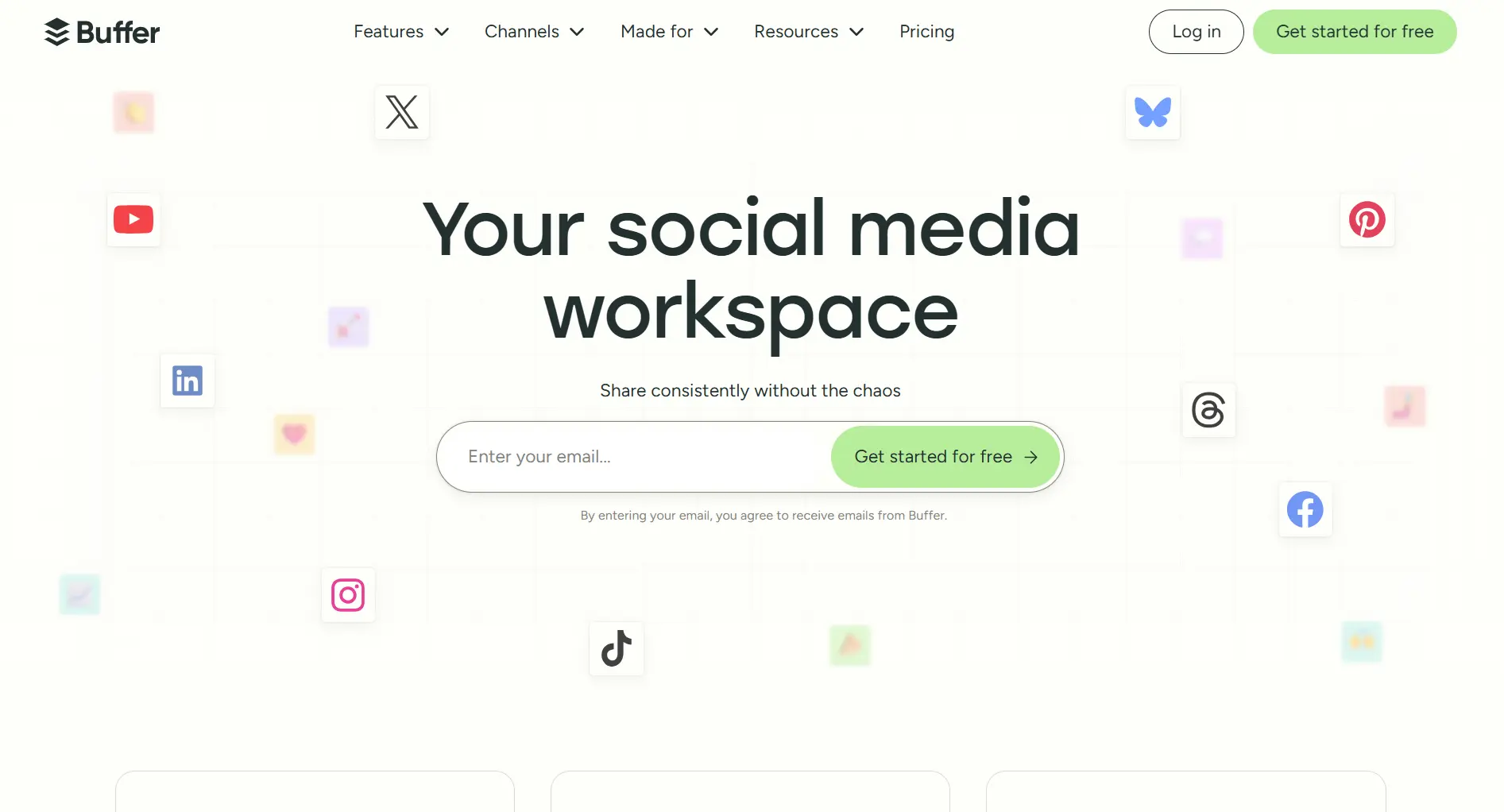
Quick Verdict
Bottom line: Buffer is the easiest social media scheduler to use. Its free plan, unlimited AI assistant, and support for 11 platforms make it a strong choice for solopreneurs. But per-channel pricing gets expensive fast if you manage more than 5 accounts, and it lacks social listening and advanced analytics. If Buffer feels too bare, compare it against other small-business picks in our best social media schedulers for small businesses guide.
Jump to: Free tier · Pricing · AI features · Platforms · Strengths · Weaknesses · vs Competitors · FAQ
Does Buffer Have a Free Tier?
Yes. Buffer is one of the few social media management tools that still offers a genuinely usable free plan.
What you get on the free plan:
- 3 social media channels (any combination of supported platforms)
- 10 scheduled posts per channel at a time
- AI Assistant (unlimited)
- Basic analytics
- Landing page builder
- Browser extension
- Mobile apps (iOS and Android)
- Community inbox for comment responses
- 100 Ideas (Buffer's content brainstorming feature)
- 1 API key
Free plan limitations:
- Single user only (no team access)
- No best-time-to-post recommendations
- No hashtag manager
- No advanced analytics or exportable reports
- No first comment scheduling
- Lifetime limit of 8 unique channel connections (counts every distinct channel you've ever connected)
Is the free plan enough? For someone just starting out who manages 1 to 3 social accounts and posts a few times per week, the free plan works well. You'll outgrow it once you need more than 10 scheduled posts per channel or want analytics to guide your strategy.
How many scheduled posts per channel does Buffer's free plan allow?
Buffer Pricing: How Much Does It Cost?
Buffer uses per-channel pricing, which means your cost scales with the number of social accounts you connect.
Monthly vs Annual Billing
Volume discount: Channels beyond 10 cost less per channel on paid plans.
Nonprofit discount: 50% off any paid plan.
Free trial: 14-day free trial available on paid plans.
Real Cost Examples (Annual Billing)
Here's what Buffer actually costs depending on how many channels you manage:
Channels beyond 10 receive volume discounts, so the exact price varies.
Per-Channel vs Flat-Rate: How Buffer Compares on Cost
Per-channel pricing works in Buffer's favor when you manage few accounts. It becomes expensive once you scale:
At 3 to 5 channels, Buffer is significantly cheaper than Hootsuite. At 10+ channels, the gap narrows or disappears.
For more detail, see our full Buffer Pricing breakdown or cheaper alternatives to Buffer.
How much does Buffer Essentials cost for 5 channels with annual billing?
Buffer AI Features
Unlike many competitors that charge extra for AI, Buffer's AI Assistant is free on every plan, including the free tier, with no usage limits.
Buffer's AI uses OpenAI's GPT-5-mini technology and can:
- Generate post ideas from scratch based on topics or keywords
- Repurpose content, turn one post into multiple formats for different platforms
- Edit and refine, rephrase, shorten, expand, or adjust tone
- Tailor for platforms, adapts language style for LinkedIn (professional), TikTok (casual/short), Instagram (visual-friendly), etc.
- Adjust tone, from casual to formal, with several presets
What Buffer's AI can't do:
- Generate images or videos
- Analyze trends or suggest trending topics
- Auto-schedule based on performance data
- Create content calendars automatically
Privacy note: Only text you enter into the AI is shared with OpenAI. Your account details, analytics, and media files are not shared.
Buffer also offers a free standalone AI post generator that works without a Buffer account.
Supported Platforms (11 Networks)
Buffer supports scheduling and publishing to:
Buffer was one of the first major schedulers to add Bluesky support, which is notable if you're active on newer platforms.
What Buffer Does Well
Ease of Use
Buffer is consistently rated as the easiest social media scheduling tool to use. Capterra gives it a 4.6/5 for ease of use.
The interface is clean and minimal. You can set up an account, connect channels, and start scheduling within minutes. The queue-based system, where you set time slots and Buffer fills them in order, is intuitive once you understand the concept.
The mobile apps (iOS and Android) are well-designed and let you schedule, edit, and manage posts on the go.
Reliability
Buffer is one of the most reliable posting tools available. Posts go out on time, connections are stable (with occasional platform-side disconnections), and the calendar view gives you a clear overview of what's scheduled.
Community Inbox
Buffer now includes a community inbox feature that lets you respond to comments on Facebook, Instagram, LinkedIn, Threads, and Bluesky from one place. This isn't a full unified inbox (no DMs, no X replies), but it covers the most common engagement tasks.
Browser Extension and Integrations
The browser extension lets you share content while browsing, useful for content curation. Buffer also integrates with Canva, so you can design graphics and push them directly to your Buffer queue.
Transparency as a Company
Buffer is a fully remote, bootstrapped company of around 75 people. They've publicly shared their finances and employee salaries since 2013, which is rare in the SaaS space. This matters if you prefer supporting transparent businesses.
Where Buffer Falls Short
No Social Listening
Buffer cannot:
- Monitor brand mentions across the web
- Track competitor activity
- Detect industry trends
- Analyze sentiment
If social listening matters to your strategy, you'll need a separate tool or a competitor like Hootsuite or Sprout Social that includes it.
Analytics Are Basic
Buffer's analytics cover the essentials, post performance, engagement rates, audience growth, and best times to post. But they don't go deep.
Missing analytics capabilities:
- No cross-channel benchmarking
- No competitor performance comparison
- No advanced sentiment tracking
- Limited custom reporting (available but basic)
For teams that need to prove ROI to clients or leadership, Buffer's analytics may not be detailed enough.
Per-Channel Pricing Scales Poorly
This is the most common complaint in user reviews. While $5 to $6per channel is affordable for 3 accounts, managing 10+ channels pushes costs to $50 to $60/month, and at that price, competitors like Hootsuite ($99/month for 10 channels) offer significantly more features.
Single User on Free and Essentials
You need the Team plan ($10 to $12/channel/month) to add a second user. There's no middle ground for small teams who want collaboration without paying double per channel.
No Content Discovery
Buffer doesn't help you find content to share. There's no RSS feed integration, no content suggestion engine, and no trending topic features. You need to find content elsewhere and bring it to Buffer.
Which of these features does Buffer include on all plans?
Pros and Cons
Pros
- Easiest scheduling tool to learn and use
- Free plan with meaningful features (AI included)
- 11 supported platforms, including Bluesky and Mastodon
- Unlimited AI Assistant on all plans
- Affordable for small operations (3 to 5 channels)
- Reliable posting, posts go out on time
- Community inbox for comment management
- Transparent, bootstrapped company
- Good mobile apps and browser extension
- Canva integration for design workflow
Cons
- Per-channel pricing gets expensive at scale
- No social listening on any plan
- Analytics are basic compared to Sprout Social or Hootsuite
- Single user on Free and Essentials plans
- No content discovery or RSS integration
- No DM management
- Community inbox is limited (no X replies)
- Occasional platform disconnection issues reported by users
- Free plan has a lifetime limit of 8 channel connections
What Real Users Say
G2 Reviews (4.3/5, 1,071 reviews)
What users praise:
- "The simplest scheduling tool I've used. No learning curve at all."
- "Been using Buffer for years. It just works."
- Users consistently highlight the clean interface and reliability.
What users criticize:
- "Per-channel pricing killed it for me. Managing 8 accounts got expensive."
- "I outgrew Buffer. Needed analytics and listening that it doesn't have."
- Account disconnections are a common pain point mentioned across reviews.
Capterra Reviews (4.5/5, 1,492 reviews)
- Ease of Use: 4.6/5
- Customer Service: 4.4/5
- Users note that customer support is responsive and helpful.
Features by Plan: Full Breakdown
Fair use cap of 5,000 posts per channel.
Buffer vs Competitors
Key takeaway: Buffer wins on simplicity and price for small operations. If you need listening, deep analytics, or manage 10+ channels, Hootsuite or Sprout Social offer more value despite higher base prices.
For detailed head-to-head comparisons, see:
Who Should Use Buffer (and Who Shouldn't)
Buffer is a good fit if you:
- Manage 1 to 5 social media channels
- Want the simplest possible scheduling workflow
- Value reliability over feature depth
- Are a solopreneur, freelancer, or small business
- Want AI content help without paying extra
- Need to schedule on Bluesky or Mastodon (limited support elsewhere)
Look at alternatives if you:
- Manage 10+ channels (per-channel pricing adds up), see Buffer alternatives
- Need social listening or brand monitoring
- Require detailed analytics for client reporting
- Want team collaboration without premium pricing
- Need a full unified inbox (DMs, mentions, comments)
- Want content discovery or RSS automation
FAQ
Does Buffer have a free tier?
Yes. Buffer offers a free plan with 3 social media channels, 10 scheduled posts per channel, the AI Assistant, basic analytics, a landing page builder, and the browser extension. It's one of the few social media tools that still offers a meaningful free plan.
How much does Buffer cost?
Buffer's paid plans start at $5/channel/month (annual billing) or $6/channel/month (monthly billing) on the Essentials plan. The Team plan is $10/channel/month (annual) or $12/channel/month (monthly). Your total cost depends on how many channels you connect, 5 channels on Essentials costs $25/month with annual billing.
What is Buffer's G2 rating?
Buffer has a 4.3/5 rating on G2 based on 1,071 verified reviews. On Capterra, it has a 4.5/5 rating from 1,492 reviews with a 4.6/5 ease-of-use score.
Does Buffer have AI features?
Yes. Buffer's AI Assistant is free on all plans (including the free tier) with no usage limits. It can generate post ideas, repurpose content for different platforms, edit and refine text, and adjust tone. It uses OpenAI's GPT-5-mini technology. It cannot generate images or videos.
Is Buffer good for agencies?
Buffer can work for small agencies managing a limited number of client accounts. However, per-channel pricing adds up quickly with multiple clients, and the lack of social listening, advanced analytics, and client management features makes tools like Hootsuite, Sprout Social or the alternatives we compare here better suited for agency workflows.
Can Buffer replace Hootsuite?
For simple scheduling with fewer than 10 channels, Buffer can replace Hootsuite at a lower cost. However, Buffer lacks social listening, a full unified inbox, advanced analytics, and the enterprise features that Hootsuite includes. See our Buffer alternatives roundup for the cost comparison.
What social media platforms does Buffer support?
Buffer supports 11 platforms: Instagram (Business, Creator, Personal), Facebook Pages, X/Twitter, LinkedIn (personal and company), TikTok, Pinterest, YouTube Shorts, Google Business Profile, Threads, Bluesky, and Mastodon.
How many posts per month on Buffer's free plan?
Buffer's free plan allows 10 scheduled posts per channel across 3 channels, for a total of 30 scheduled posts at a time. Note: this is 10 posts in the queue at any time, not 10 per month. Once a post publishes, you can schedule another one.
Is Buffer worth it in 2026?
For solopreneurs and small businesses managing up to 5 channels who want simple, reliable scheduling with free AI, Buffer offers good value. For teams needing collaboration, agencies managing many accounts, or anyone requiring social listening and deep analytics, there are better-value alternatives. See our Buffer alternatives guide.
Final Verdict
Buffer is the best choice if simplicity and reliability are your priorities.
It does scheduling well, the AI assistant is a genuine bonus (free and unlimited), and the free plan is one of the most usable in the category. The per-channel pricing model is a double-edged sword, cheap for 3 channels, expensive for 10.
If you're a solopreneur or small business managing a handful of accounts, start with the free plan and upgrade when you need unlimited posts or analytics. If you're an agency or growing team, you'll likely outgrow Buffer and should consider tools with flat-rate pricing and deeper feature sets.
Create content, post everywhere
Create captions, images, and videos with AI. Schedule to 9 platforms in seconds.
Start your free trialRelated
Buffer Content
- Buffer Pricing 2026
- Buffer Alternatives 2026
- Cheaper Than Buffer
- Buffer vs OneUp
- Buffer vs Fedica
- Buffer vs Plann
Similar Reviews
- Hootsuite Review 2026
- SocialPilot Review 2026
- Later Review 2026
- Publer Review 2026
- Loomly Review 2026
- Metricool Review 2026
- Swello Review 2026
- Hypefury Review 2026
- StoryChief Review 2026
- Crowdfire Review
- ContentStudio Review
Buffer Comparisons
- Buffer vs PostFlow
- Planable vs Buffer
- Publer vs Buffer
- Nuelink vs Buffer
- Vista Social vs Buffer
- Blog2Social vs Buffer
- Canva vs Buffer
Best-Of Guides
- Best Social Media Schedulers 2026
- Hootsuite Alternatives
- Sprout Social Alternatives
- Best Canva Alternatives
More Alternatives
- Later alternatives, visual-first picks beyond Buffer
- SocialPilot alternatives, agency-focused options
- Agorapulse alternatives, inbox-led picks
- Planable alternatives, visual-collaboration tools
- Metricool alternatives, analytics-heavy picks
- Publer alternatives, budget-friendly Buffer competitors
Comparing reviews side by side? Browse honest reviews of every tool.
Open the hubWas this article helpful?
Let us know what you think!