

Loomly Review 2026: Features, Pricing, Pros & Cons

Loomly is a social media calendar for teams. At $65/month for 3 users and 12 accounts (Starter plan), it's positioned as a mid-range option.
Here's what it actually delivers.
Create content, post everywhere
Create captions, images, and videos with AI. Schedule to 9 platforms in seconds.
Start your free trial
Quick Summary
Best for: Small-medium businesses and agencies needing straightforward scheduling with team collaboration.
Not ideal for: Enterprises needing advanced listening, solo creators on tight budgets, or teams wanting AI content. For bulk scheduling needs, see our Loomly vs SocialPilot comparison. For visual planners, see Later vs Loomly.
Pricing at a Glance
Big difference: Plan-based pricing, not per-user. Unlike Sprout Social ($249/user), Loomly charges per plan. Beyond includes unlimited users.
How much would a 6-person team pay for Loomly vs Sprout Social?
What Loomly Does Well
Post Ideas & Inspiration
Get daily content suggestions based on:
- Trending topics
- National days/holidays
- RSS feeds
- Hashtag ideas
Verdict: Actually useful. Great for beating content blocks.
Content Calendar
Verdict: One of the better visual calendars at this price.
Scheduling & Publishing
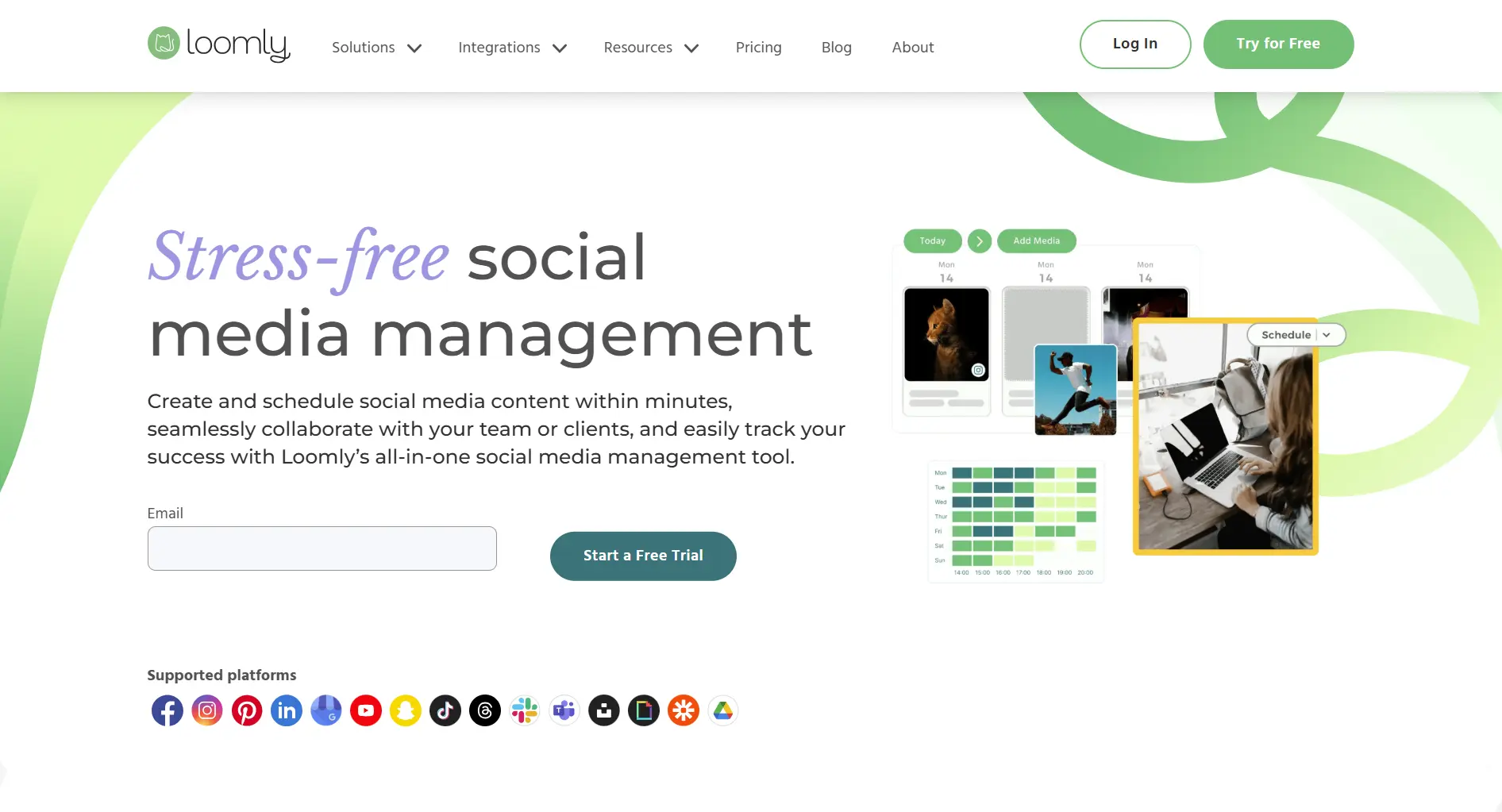
Supported platforms:
- Facebook, Instagram, Twitter, LinkedIn
- Pinterest, Google Business, TikTok
- YouTube, Snapchat
Auto-publishing, best time suggestions, bulk scheduling included.
Verdict: Does the job reliably. No major gaps.
Team Collaboration
Verdict: Better team features than competitors at this price.
What's Loomly's standout feature compared to competitors?
What Loomly Lacks
No Advanced Social Listening
Missing features:
- Deep sentiment analysis
- Competitive benchmarking
- Crisis detection
- Trend identification
If listening is critical, look at Sprout Social or Brandwatch.
No AI Content Generation
No AI tools for:
- Caption writing
- Image creation
- Content optimization
- Smart suggestions
Tools like SocialRails include unlimited AI content. Postfity offers 100K AI words/month with built-in design tools at $20/month.
Limited Customer Service Features
No unified inbox or:
- Message routing
- Response templates
- CSAT tracking
For customer service, consider Sprout Social.
Pros and Cons Summary
Real User Reviews
What Users Love
"Finally a tool that doesn't require a PhD to use. Our team was up and running in an afternoon." — G2 Review
"Best value for teams. We switched from Sprout and save $1,200/month." — G2 Review
What Users Complain About
"Analytics feel basic compared to what we're used to." — G2 Review
"Wish they had AI content generation like newer tools." — Capterra Review
Based on real reviews, what's the most common praise for Loomly?
Who Should Use Loomly
Ideal Users
Small-Medium Businesses
- 2-30 employees
- Need straightforward scheduling
- Want team collaboration
- Budget-conscious
Agencies
- Multiple clients
- Need approval workflows
- Want affordable scaling
Content Marketing Teams
- Need post inspiration
- Want visual calendar
- Don't need advanced analytics
Who Should Look Elsewhere
Enterprises needing advanced analytics or listening
Customer Service Teams with high-volume inbox needs
AI-Forward Teams wanting automated content creation
Loomly vs Alternatives
Compare Loomly directly: Planable vs Loomly, Publer vs Loomly, Agorapulse vs Loomly, or Sendible vs Loomly.
FAQ
Is Loomly worth the price?
For small teams, yes. Starter at $65/month for 3 users and 12 accounts offers decent value. Beyond ($332/month) includes unlimited users, which is great for larger teams willing to pay.
Does Loomly have a free plan?
No. Loomly offers a 15-day free trial but no permanent free plan. Starter plan starts at $65/month ($49/month if paid annually).
Is Loomly good for agencies?
Yes. Approval workflows, client collaboration, and unlimited users on Beyond work well for agencies. Beyond plan ($332/month) includes unlimited users and 60 accounts.
How does Loomly compare to Hootsuite?
Loomly is simpler and more affordable. Hootsuite offers more platforms (35+ vs 9) and social listening. Choose Loomly for ease and value, Hootsuite for depth.
Can Loomly replace Sprout Social?
For scheduling and basic analytics, yes, at 90% lower cost. For advanced listening and enterprise features, no. Evaluate which features you actually use.
Bottom Line
Loomly delivers solid social media management at affordable prices.
Choose Loomly if:
- You're a small-medium business or agency
- You need team collaboration and approvals
- You want plan-based (not per-user) pricing
- You value ease over feature depth
Choose an alternative if:
- You need advanced analytics or listening
- You want AI content generation
- You're an enterprise with complex needs
For AI-powered content at lower pricing, consider SocialRails at $29-99/month.
Create content, post everywhere
Create captions, images, and videos with AI. Schedule to 9 platforms in seconds.
Start your free trialRelated
Loomly Content
- Loomly Pricing 2026
- Loomly Alternatives
- Enji vs Loomly
- Hootsuite vs Loomly
- Loomly vs Sprout Social
- Buffer vs Loomly
- Cheaper Than Loomly
- HeyOrca vs Loomly
Similar Reviews
- Swello Review - European scheduler with monitoring
- Viraltag Review - Pinterest-focused scheduler
- Post Bridge Review - Budget flat-rate pricing
- Quuu Review - Content curation
- OnlyPult Review - Budget option
- SocialBee Review
- Metricool Review
- Later Review 2026
- Sprout Social Review
- Lately Review - AI content repurposing
- Sociality Review - Social listening included
- Circleboom Review 2026
- Social Champ Review 2026
- Sendible vs Sprout Social
Tool Comparisons
- Vista Social vs Loomly
- CoSchedule vs Loomly
- Tailwind vs Loomly
- MeetEdgar vs Loomly
- Kontentino vs Loomly
- SocialBee vs Loomly
- Metricool vs Loomly
- Planable vs Loomly
- Publer vs Loomly
- Agorapulse vs Loomly
- Sendible vs Loomly
- Zoho Social vs Loomly
Best-Of Guides
- Best Social Media Schedulers 2026
- Sprout Social Alternatives
- Hootsuite Alternatives
- Best Social Media Tools for Nonprofits
Was this article helpful?
Let us know what you think!