

Statusbrew Review 2026: Features, Pricing, Pros & Cons

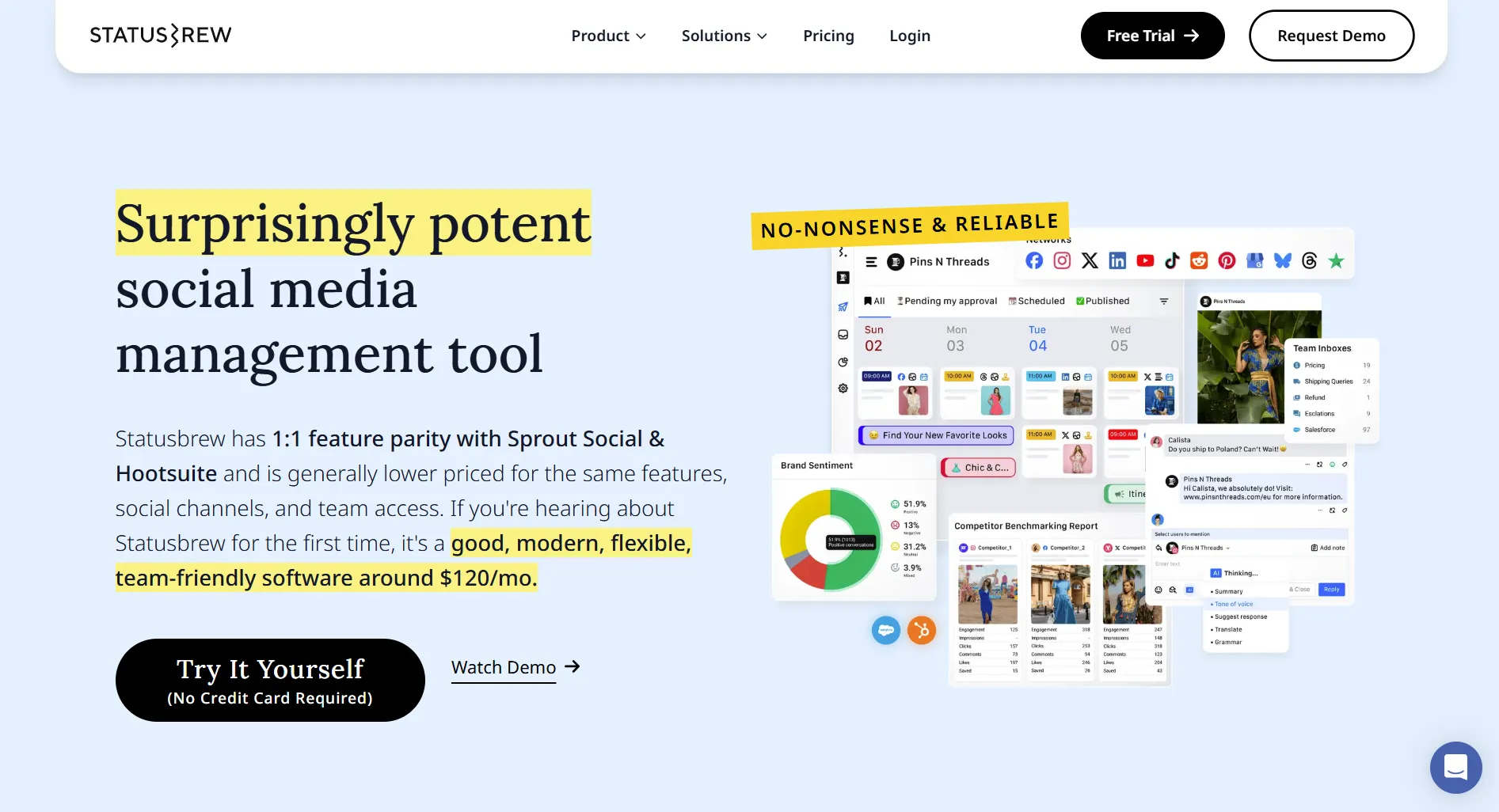
Statusbrew positions itself as an enterprise social media management platform with strong team collaboration and engagement features.
But with premium pricing starting at $69/user/month, is it the right choice for your team? Here's the honest breakdown.
Create content, post everywhere
Create captions, images, and videos with AI. Schedule to 9 platforms in seconds.
Start your free trial
Quick Summary
Best for: Mid-size teams and agencies needing unified inbox, team collaboration, and detailed analytics.
Not ideal for: Solopreneurs, small businesses on tight budgets, or teams wanting AI content generation.
Pricing at a Glance
Per-user pricing. 3 users on Standard = $387/month.
The catch: Per-user pricing makes Statusbrew expensive for larger teams quickly.
How much does Statusbrew cost for a team of 5 on the Standard plan?
💡 Tip: Think carefully before selecting your answer!
What Statusbrew Does Well
Unified Social Inbox
Statusbrew's standout feature is its unified inbox:
Verdict: Excellent inbox management for teams.
Team Collaboration
Strong collaboration tools:
- Multi-level approval workflows
- Task assignment
- Team performance tracking
- Role-based permissions
- Audit logs
Verdict: Excellent for agencies and enterprise teams.
Analytics & Reporting
Detailed analytics:
- Cross-platform metrics
- Custom report builder
- White-label reports
- Competitor tracking
- Export capabilities
Verdict: More detailed than most competitors.
What's Statusbrew's biggest competitive advantage?
💡 Tip: Think carefully before selecting your answer!
What Statusbrew Lacks
No AI Content Generation
You'll need external AI tools for content creation.
Steep Learning Curve
The platform is feature-rich but complex:
- Takes 1-2 weeks to master
- Training often needed
- Interface can feel cluttered
- Many settings to configure
Per-User Pricing Escalates
How costs grow:
Flat-rate alternatives become attractive at scale.
Limited Visual Planning
- Basic content calendar
- No Instagram grid preview
- No drag-and-drop visual planner
- Focus on workflow, not aesthetics
Which feature is NOT included in Statusbrew?
💡 Tip: Think carefully before selecting your answer!
Pros and Cons Summary
Common User Feedback
What Users Appreciate
Statusbrew users commonly highlight the unified inbox as helpful, having all messages in one place rather than switching between platforms.
The approval workflows also receive positive feedback from agencies who need structured review processes for client content.
Common Complaints
The most frequent criticism is cost, as per-user pricing becomes expensive when adding team members.
Users also note the learning curve takes longer than simpler tools, typically 1-2 weeks to become fully comfortable with all features.
Statusbrew is best suited for which type of user?
💡 Tip: Think carefully before selecting your answer!
Who Should Use Statusbrew
Ideal Users
Agencies
- Managing multiple clients
- Need approval workflows
- Want unified inbox
- Require white-label reports
Enterprise Teams
- High message volume
- Need audit trails
- Want detailed analytics
- Have training budget
Who Should Look Elsewhere
Solopreneurs — Too expensive and complex
Small Teams — Per-user pricing hurts
AI Seekers — No content generation
Budget Conscious — Better value elsewhere
Statusbrew vs Alternatives
Compare Statusbrew directly: Statusbrew vs Buffer, Statusbrew vs Hootsuite.
FAQ
Is Statusbrew worth it in 2026?
For agencies and enterprise teams needing unified inbox and collaboration tools, yes. For solopreneurs or small teams, the per-user pricing makes alternatives more attractive.
Does Statusbrew have a free plan?
No. Statusbrew offers a 7-day free trial but no permanent free tier. The cheapest plan is $69/user/month.
Is Statusbrew good for agencies?
Yes. Strong approval workflows, white-label reports, and unified inbox make it solid for agency work. Just budget for per-user costs.
Does Statusbrew have AI features?
Limited. No AI content generation. Some smart suggestions for best times, but you'll need external tools for AI-powered content creation.
Bottom Line
Statusbrew excels at inbox management and team collaboration, but per-user pricing limits its appeal.
Choose Statusbrew if:
- You need a unified social inbox
- Team collaboration is critical
- You manage high message volume
- Budget allows per-user pricing
Choose an alternative if:
- You're a solopreneur
- You want AI content tools
- Per-user pricing is prohibitive
- You prefer simpler interfaces
For AI-powered scheduling at $29/month, consider SocialRails.
Create content, post everywhere
Create captions, images, and videos with AI. Schedule to 9 platforms in seconds.
Start your free trialRelated
Statusbrew Content
- Statusbrew Pricing 2026
- Statusbrew Alternatives 2026
- Cheaper Than Statusbrew
- Statusbrew vs Buffer
- Statusbrew vs Hootsuite
Similar Reviews
- Hootsuite Review 2026
- Sprout Social Review 2026
- Agorapulse Review 2026
- Sendible Review 2026
- SocialPilot Review 2026
Best-Of Guides
Was this article helpful?
Let us know what you think!