

How to Create & Manage Multiple X Accounts in 2026 (Up to 10)

⚡ Quick Setup Guide
🎯 Core Actions:
- Yes, you can have multiple accounts, up to 10 per person
- Use a different email address for each account (the Gmail
+trick no longer works on X) - Switch accounts in the app and on the web, up to 5 signed in at once
- Manage professionally with scheduling tools
📈 Timeline: 5-10 minutes per account setup
🎪 Focus: Clear purpose for each account
⏱️ Management Time: 15-30 minutes daily total
Create content, post everywhere
Create captions, images, and videos with AI. Schedule to 9 platforms in seconds.
Start your free trial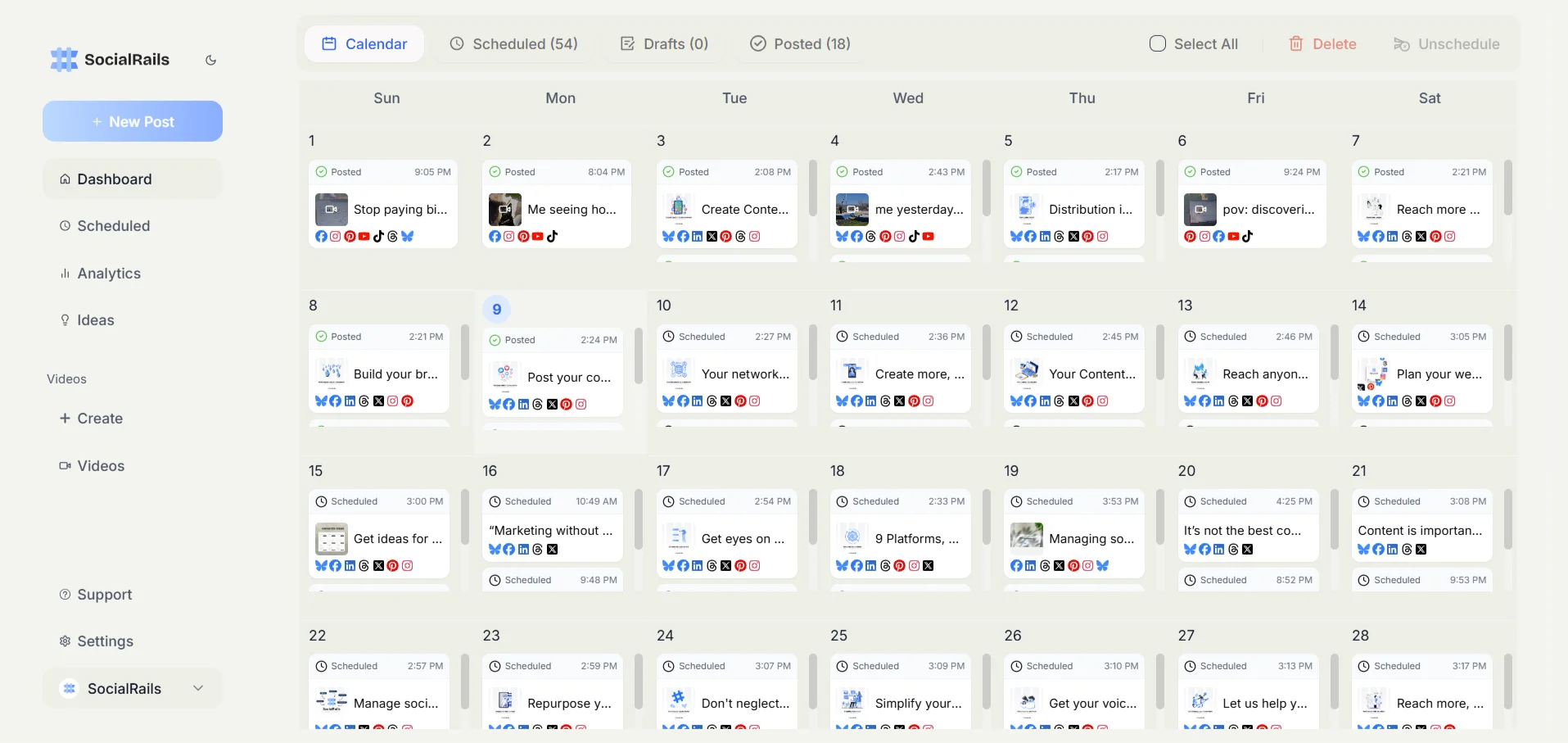
🔧 Creating Multiple Twitter Accounts
Can You Have Multiple X (Twitter) Accounts?
Yes, X allows up to 10 accounts per person. You can create and manage multiple X (formerly Twitter) accounts, provided each serves a unique, non-duplicative purpose and follows X's Terms of Service.
There are two different numbers here and mixing them up is the most common mistake:
So "10 accounts" is a policy limit and "5 accounts" is an interface limit. If you need to run more than five day to day, a scheduling tool is the practical answer rather than constantly signing in and out.
These accounts must:
- Have unique content and purpose
- Not duplicate or spam the same content across accounts
- Not artificially inflate engagement between accounts
- Each have legitimate, distinct use cases
The rule people break without meaning to: your accounts must not interact with each other as though they were separate people. Liking, reposting, or replying between accounts you control is platform manipulation under X's Platform Manipulation and Spam policy, and it can take down every account involved, not just the newest one. Cross-promotion between your own accounts is covered further down, and it has to be done in a way that does not read as coordinated engagement.
For a deeper treatment of the policy, the switching interfaces, and tool comparisons, see our guide to managing multiple Twitter/X accounts.
Step-by-Step Account Creation
The steps
- Sign out of your current X account
- Go to x.com and click "Sign up" (twitter.com redirects here)
- Use a different email address for each account
- Complete verification
- Set up the profile with a unique username (generate handles with our Twitter username generator)
Each account needs its own email address. X will not let two accounts share one.
Email Options for Multiple Accounts
The Gmail plus trick does not work on X. Older guides, including earlier versions of this one, lead
with yourname+business@gmail.com. X rejects + in the signup email field, and has done since around
March 2023. If you have been told this is the easy method, that is why it kept failing. The remaining
options below all still work.
Option 1: Gmail dot variations
- Original:
yourname@gmail.com - Variation 1:
your.name@gmail.com - Variation 2:
y.ourname@gmail.com - Variation 3:
yo.urname@gmail.com - Gmail ignores dots when delivering, so everything lands in the same inbox, while X reads them as different addresses. This is the closest surviving equivalent of the plus trick
Option 2: Multiple email providers
- Gmail for the personal account
- Outlook or Hotmail for business
- Proton Mail for a privacy-focused account
- Any other provider for the rest
Option 3: Custom domain emails
personal@yourdomain.combusiness@yourdomain.comsupport@yourdomain.com- Best for businesses, and the only option that scales cleanly past a handful of accounts
A note on the dot trick. It works, but every address still resolves to one mailbox, so a single compromised inbox exposes every account tied to it. For anything with money or a brand attached, use Option 3 and separate the mailboxes properly.
Phone Verification: What Actually Works
X does not always ask for a phone number at signup, and when it does, most of the "workarounds" in circulation stopped working some time ago. Being precise about this saves a wasted afternoon:
Virtual and VoIP numbers are blocked. X checks the carrier type of a submitted number before it sends anything, so numbers issued by VoIP providers are rejected at that step. This covers Google Voice, Skype numbers, TextNow, Burner, and most free online SMS services. The usual symptom is "This phone number cannot be used", or a code that simply never arrives. Older guides list Google Voice as a working option; it is not, and it has not been for a while.
Reusing one real number across accounts is limited. You can verify an account, remove the number from its settings, and use it again, but X applies limits to how many accounts one number may verify, and the reuse is not unlimited. Treat it as something that works once or twice, not as a strategy for ten accounts.
Do not buy numbers from account-farming services. Beyond the obvious problem that you are handing a stranger control of your account recovery, bulk-registered numbers are the exact signal X's anti-abuse systems look for. This is the fastest route to losing the accounts you just built.
The realistic answer for most people running two or three accounts is a real second number they already have, such as a work line, or simply completing signup without a phone number when X does not require one. If you genuinely need ten verified accounts and do not have ten phone numbers, the honest conclusion is that X has designed the system to prevent exactly that.
Email Management Tips
- Aliases: use dot variations for low-stakes accounts, real separate mailboxes for anything important
- Professional emails: use domain emails for business accounts
- Organization: keep a spreadsheet of account details (see template below)
- Security: use strong, unique passwords for each, stored in a password manager
Account Management Spreadsheet Template:
📱 How to Switch Between Twitter Accounts
Both interfaces cap you at 5 accounts signed in at once. This is separate from the 10-account ownership limit, and it is where people first hit a wall: nothing warns you in advance, the option to add a sixth simply stops working.
Mobile App (iOS/Android)
Quick Switch Method:
- Tap your profile picture (top left)
- See account list dropdown
- Tap desired account to switch instantly
- Add new account: Tap "+" icon
Desktop/Web Browser
Browser Method:
- Click profile menu (top right)
- Select "Switch accounts"
- Choose from list or "Add account"
- Stay signed in to as many as 5 accounts
Pro Switching Tips
- Separate browser profiles are the real fix for more than 5 accounts. Each profile keeps its own cookies, so each gets its own set of 5, and you avoid signing in and out all day
- Pin browser tabs for each account
- Bookmark shortcuts for quick access
- Mobile notifications can be set per account
Customize each account's feed: Set up muted words differently for each account based on its purpose (filter industry jargon on personal, competitors on business, etc.).
🏢 Multiple Account Strategies
Personal vs Business Accounts
Personal Account Focus:
- Industry expertise and professional insights
- Personal brand building and thought leadership
- Networking with industry peers
- Career development content
Business Account Focus:
- Product announcements and company news
- Customer support and community engagement
- Marketing campaigns and promotional content
- Team highlights and company culture
Account Purpose Examples
1. CEO/Founder Setup:
- @johnsmith - Personal thought leadership
- @companyname - Official business account
- @productname - Product-specific updates
2. Agency/Freelancer Setup:
- @agencyname - Professional services
- @johnsmithdesign - Personal portfolio
- @industryinsights - Niche content account
3. Content Creator Setup:
- @creatorname - Main content account
- @behindthescenes - Process and tips
- @personallife - Non-business content
🛠️ Managing Multiple Accounts Efficiently
Daily Management Routine
Morning Routine (15 minutes):
- Check notifications across all accounts
- Post scheduled content review
- Respond to mentions and DMs
- Cross-promote relevant content
Evening Routine (15 minutes):
- Analyze performance of day's posts
- Schedule tomorrow's content for each account
- Engage with followers on each account
- Plan cross-account campaigns
Content Scheduling Tools
Recommended Tools:
- SocialRails - Multiple account management
- Buffer - Basic multi-account posting
- Hootsuite - Enterprise-level management
- Later - Visual content planning
Cross-Account Strategy
Smart Cross-Promotion:
- Share personal insights that benefit the business account
- Tag accounts appropriately for visibility
- Maintain distinct voices per account
Where cross-promotion turns into a policy violation. The line X draws is between an occasional genuine reference and a pattern of your own accounts boosting each other. Reposting your company account from your personal one now and then is normal and is what a real person does. Setting up your accounts to reliably like, repost, and reply to each other's posts is coordinated engagement, and X's Platform Manipulation and Spam policy treats it as manipulation regardless of the fact that you own all of them. The practical test: if the interaction only exists to raise the numbers, do not do it. If you would not do it from an account you did not own, do not do it from one you do.
⚠️ Best Practices & Compliance
Twitter Terms of Service
Allowed Practices:
- Multiple legitimate accounts for different purposes
- Business and personal account separation
- Team member accounts for company
- Geographic or language specific accounts
Prohibited Practices:
- Fake or impersonation accounts
- Spam or manipulation across accounts
- Ban evasion with new accounts
- Misleading information distribution
Account Security
Essential Security Measures:
- Two-factor authentication on all accounts
- Strong, unique passwords for each
- Regular security audits of connected apps
- Monitor account activity for unusual behavior
Avoiding Suspension
Safety Guidelines:
- Authentic identity per account
- Unique content rather than duplicate posting
- Genuine engagement vs automated interactions
- Respect rate limits when posting
📊 Analytics & Growth Tracking
Per-Account Metrics
Key Performance Indicators:
- Follower growth rate by account type
- Engagement rate comparison
- Click-through rates to different objectives
- Cross-account traffic and conversions
Monthly Review Process
Account Performance Analysis:
- Compare growth rates across accounts
- Identify top content per account
- Analyze audience overlap and differences
- Adjust strategy based on account performance
- Plan integrated campaigns for next month
🎯 Account Management Tools
Native X Features
Built-in Management:
- X Lists for organized content consumption
- Advanced search for account-specific monitoring
- Per-account analytics in the app
TweetDeck is no longer one of these. It was renamed X Pro, went behind the $8 X Premium tier in August 2023, and on 26 March 2026 moved again into Premium+ at $40 a month. It is not a free built-in feature, and any guide still listing it as one predates that change. The full breakdown is on our TweetDeck pricing page. At $40 a month for a multi-column dashboard, it is worth comparing against a dedicated scheduler before subscribing.
Third-Party Solutions
Professional Management:
- SocialRails - Comprehensive multi-account management
- Sprout Social - Team collaboration features
- Agorapulse - Customer service across accounts
- Sendible - White-label client management
✅ Quick Setup Checklist
Account Creation:
- ✅ Unique email address per account
- ✅ Distinct username and handle
- ✅ Clear profile optimization
- ✅ Secure password and 2FA
Account Purpose:
- ✅ Defined objective per account
- ✅ Target audience identification
- ✅ Content strategy alignment
- ✅ Cross-promotion strategy
Management Setup:
- ✅ Scheduling tool integration
- ✅ Analytics tracking setup
- ✅ Team access configuration
- ✅ Security measures enabled
Frequently Asked Questions
Is it against Twitter's rules to have multiple accounts?
No. X allows up to 10 accounts per person, as long as each serves a legitimate, distinct purpose. It is not unlimited. What gets accounts suspended is not the number but the behavior: posting duplicate content across accounts you control, or having those accounts like, repost, and reply to each other to inflate engagement. That is platform manipulation and it can take down all of them at once.
How many X accounts can I be signed into at the same time?
Five. The X mobile app and the browser switcher both cap you at 5 accounts signed in simultaneously, which is separate from the 10-account ownership limit. To work around it, use separate browser profiles, since each keeps its own session and therefore its own set of 5, or manage the extras through a scheduling tool.
Do I need different email addresses for each Twitter account?
Yes, each account requires a unique email address. Use different providers, a custom domain, or Gmail dot variations (your.name@gmail.com and yo.urname@gmail.com both deliver to yourname@gmail.com while X reads them as different addresses). Note that Gmail plus addressing, such as yourname+business@gmail.com, does not work: X rejects the "+" character in the signup email field.
Can I use the same phone number for multiple Twitter accounts?
Only to a limited extent. You can verify an account, remove the number in settings, and reuse it, but X limits how many accounts one number may verify, so treat it as good for one or two rather than ten. Virtual and VoIP numbers do not work at all: X checks the carrier type before sending a code and rejects Google Voice, Skype, TextNow, Burner, and most free online SMS services.
How do I switch between Twitter accounts on mobile?
In the Twitter mobile app, tap your profile picture in the top-left corner to see a dropdown list of all your accounts. Tap any account to switch instantly. You can add new accounts by tapping the "+" icon in this same menu.
What's the best way to manage content for multiple Twitter accounts?
Use social media management tools like SocialRails, Buffer, or Hootsuite to schedule and manage posts across multiple accounts. Create content calendars for each account, maintain distinct voices and purposes, and set up efficient workflows for cross-promotion between accounts.
Should my business and personal Twitter accounts be completely separate?
Generally yes, but strategic cross-promotion can be beneficial. Keep content themes distinct but consider retweeting business content from your personal account when relevant, and share personal insights that add value to your business account while maintaining professional boundaries.
Can Twitter suspend accounts for having multiple profiles?
Twitter won't suspend accounts simply for being multiple accounts by one person. Suspensions occur when accounts violate terms of service through spam, impersonation, fake identities, or manipulation. Keep each account authentic and purposeful to avoid issues.
How many Twitter accounts can I realistically manage effectively?
Most individuals can effectively manage 3-5 Twitter accounts with proper tools and workflows. Beyond that, content quality and engagement typically suffer unless you have a team. Start with 2-3 accounts and expand only when you've established efficient management systems.
🔗 Related X (Twitter) Resources
Multi-Account Management:
- How to Manage Multiple Twitter/X Accounts - policy, limits, and tool comparison
- TweetDeck Pricing - what X Pro costs after the March 2026 change
- Social Media Management Best Practices - workflows for several accounts
Master X/Twitter:
- How to Trend on X (Twitter) - go viral with proven strategies
- How to Get Followers on Twitter - grow your audience organically
- Best Time to Post on Twitter - maximize engagement with timing
- How to Increase Twitter Impressions - boost visibility
X/Twitter Tools:
- X Bio Generator - create a distinct bio for each account
- X Hashtag Generator - find relevant hashtags
- X Thread Maker - build threads
- Twitter Username Generator - handles for new accounts
Content Strategy:
- Social Media Platform Comparison - X vs other platforms
- Social Media Content Strategy - plan your multi-account strategy
- Seasonal Blog Post Ideas - content calendar for all accounts
Ready to manage multiple X accounts without signing in and out all day? SocialRails schedules, monitors, and reports across all of them from one dashboard.
Was this article helpful?
Let us know what you think!