

CoSchedule Pricing 2026: Every Plan, Cost & Hidden Fee Explained

Quick answer: CoSchedule has two product lines. The Social Calendar is free for 1 user or $19/user/month for teams. The Marketing Suite starts at $190/month for the Growth plan and goes up to $750+/month for Professional. Enterprise is custom-priced.
For a full feature review beyond pricing, see our CoSchedule review 2026.
Why compare? Get more for less with SocialRails
Post images, videos & carousels to 9 platforms. AI helps with captions.
Cancel anytime
What Is CoSchedule?
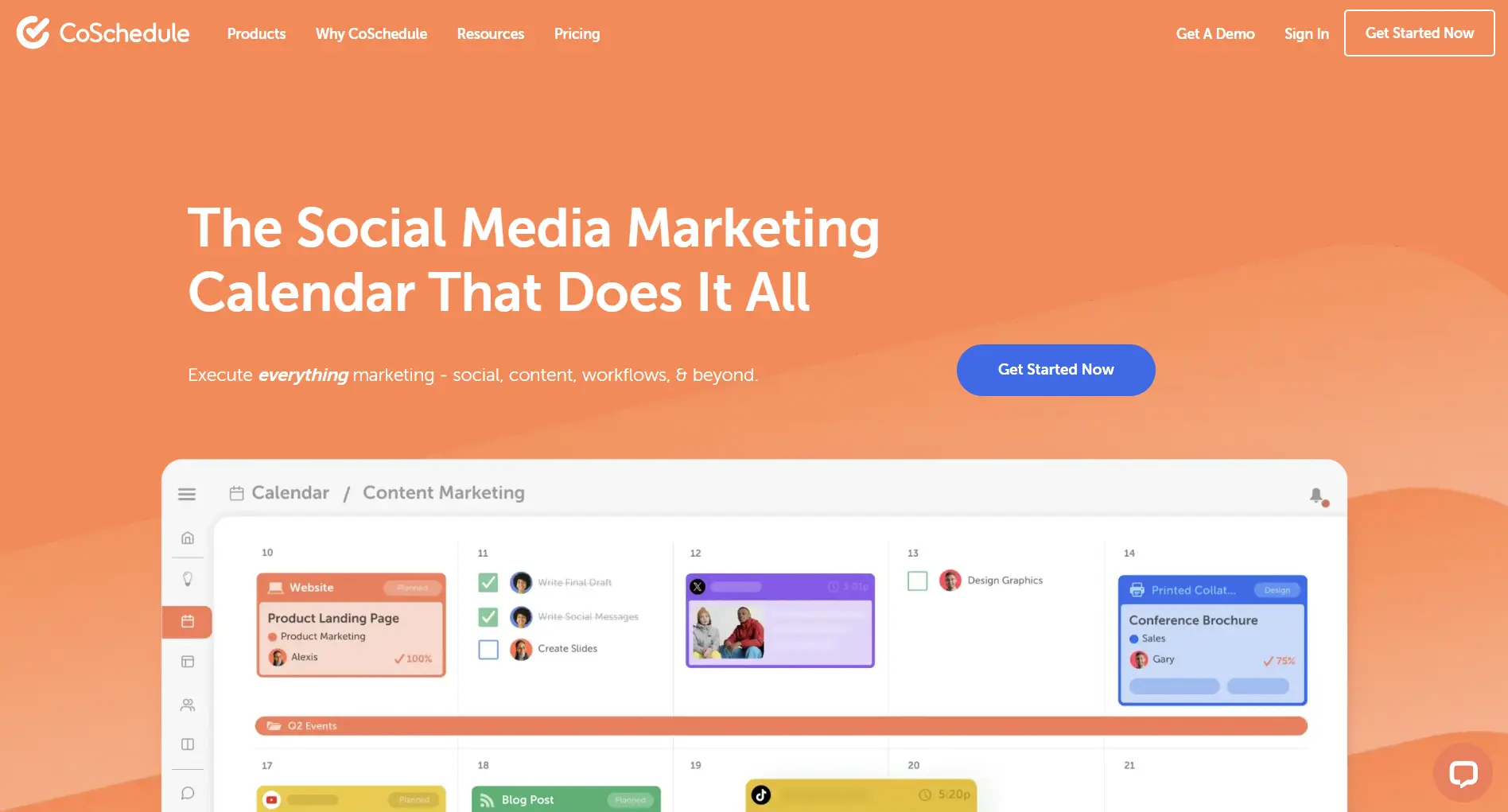
CoSchedule is a marketing calendar and social media scheduling platform built for marketing teams. It's split into two separate products:
- Social Calendar — a social media scheduling tool with a calendar interface, available as a free plan or paid plan at $19/user/month
- Marketing Suite — a full marketing operations platform that includes social publishing, content calendar, project management, team workflows, and analytics. Starts at $190/month.
CoSchedule is headquartered in Fargo, North Dakota, and is primarily used by in-house marketing teams (not agencies). It's known for its Headline Analyzer (a free tool that scores headline quality) and ReQueue (automated content resharing).
The two-product structure is important to understand because the Social Calendar and Marketing Suite are priced and sold separately—they're different products with different feature sets.
CoSchedule Pricing: Full Breakdown
Social Calendar Pricing
The Social Calendar is CoSchedule's simpler, more affordable product for teams that mainly need social media scheduling.
What's included in the Free Calendar:
- 1 user only
- 2 social profiles
- Basic social scheduling
- Calendar view with drag-and-drop
- Mobile app access
- Headline Analyzer access
What's included in the Social Calendar ($19/user/month):
- Up to 3 team members
- 3 social profiles included (additional profiles cost extra)
- Unlimited social scheduling
- Task assignments
- Team calendar view
- Social analytics and reporting
- ReQueue (automated resharing of evergreen content)
- Bulk scheduling
Important costs to know:
- Twitter/X profiles are billed separately due to Twitter's API pricing changes. This applies to both free and paid plans.
- Per-user pricing means costs scale linearly: 2 users = $38/month, 3 users = $57/month.
- Annual billing saves ~20% ($15/user/month instead of $19).
- Additional social profiles beyond the included 3 cost extra on the paid plan.
Marketing Suite Pricing
The Marketing Suite is CoSchedule's premium product for marketing teams that need more than social scheduling—it includes content calendars, project management, team workflows, and marketing operations tools.
What Growth ($190/month) includes:
- Everything in Social Calendar
- Full content calendar (not just social—includes blog, email, events)
- Social publishing across platforms
- Team workflows and task management
- Work request forms
- Project management features
- Multiple team members (exact number varies by agreement)
- Basic analytics and reporting
What Professional ($750/month) adds:
- Everything in Growth
- Advanced analytics and custom reports
- Custom workflow templates
- Priority support and onboarding
- Training sessions for team
- Advanced permissions and roles
What Enterprise (custom pricing) adds:
- Everything in Professional
- Unlimited users
- Custom integrations
- Dedicated account manager
- Advanced security features
- Custom onboarding and migration support
Annual billing on Marketing Suite plans saves approximately 20%.
Your team of 3 needs social scheduling only. What's the monthly CoSchedule cost?
💡 Tip: Think carefully before selecting your answer!
CoSchedule Marketing Calendar: What You Get
The marketing calendar is CoSchedule's core feature and the main reason teams choose the Marketing Suite over the Social Calendar.
What the Marketing Calendar does:
- Unified calendar view — see all marketing activities (social posts, blog content, email campaigns, events) in a single drag-and-drop calendar
- Color-coded campaigns — organize content by campaign, team, or channel for visual clarity
- Team visibility — everyone on the marketing team sees the full schedule, reducing "what's going out when?" confusion
- Drag-and-drop rescheduling — move content to different dates instantly
- Work request forms — stakeholders can submit content requests through structured forms
- Task assignments — assign tasks to specific team members with due dates
Marketing Calendar pricing by plan:
Key takeaway: If you only need a social media calendar, the Social Calendar ($19/user) covers it. If you need a full marketing content calendar with project management, you need Marketing Suite ($190+/month).
CoSchedule's Headline Analyzer
CoSchedule's Headline Analyzer is a free tool (no paid plan required) that scores your headlines on a 0-100 scale and provides suggestions for improvement.
What it analyzes:
- Word balance (common, uncommon, emotional, power words)
- Headline length and character count
- Headline type (list, how-to, question)
- SEO readability
Pricing: Free to use. Available at CoSchedule's website without a CoSchedule subscription. The paid plans don't add any extra Headline Analyzer features—it's the same tool.
This is worth knowing because some people discover CoSchedule through the Headline Analyzer and assume the full product is free. The Analyzer is free; the scheduling and calendar tools are what cost money.
CoSchedule's ReQueue Feature
ReQueue is CoSchedule's automated content resharing feature, available on the paid Social Calendar plan and all Marketing Suite plans.
How it works:
- You add evergreen social posts to a ReQueue group
- CoSchedule automatically reshares them on a schedule you set
- It fills gaps in your social calendar so you always have content going out
- You can set rules for how often content recycles
Why it matters for pricing: ReQueue is one of the main reasons to choose CoSchedule's paid Social Calendar ($19/user) over the free plan. If you publish evergreen content that stays relevant over time, ReQueue saves significant manual scheduling work.
How CoSchedule Compares on Price
Social Scheduling Cost Comparison
For teams that primarily need social media scheduling:
CoSchedule's position: On the affordable end for 1 user ($180/year), but per-user pricing makes it less competitive as team size grows. A 3-person team pays $57/month—at that point, tools like Loomly ($32/month for 2 users) or SocialRails ($49/month for 5 users) offer more value.
Marketing Suite Cost Comparison
For teams needing content calendars and project management:
CoSchedule's advantage: It combines marketing calendar + social publishing in one tool, which Monday.com and Asana can't do natively. But at $190/month, it's a significant investment compared to using a general project management tool ($10/user) paired with a standalone social scheduler.
You need a content calendar AND project management for your marketing team. Which CoSchedule product do you need?
💡 Tip: Think carefully before selecting your answer!
What CoSchedule Does Well
Marketing calendar: CoSchedule's unified calendar view is genuinely its strongest feature. Seeing all marketing activities—social, blog, email, events—in one drag-and-drop calendar is something most pure social media tools don't offer.
ReQueue: Automated evergreen content resharing saves time for teams with a library of content that stays relevant. You set it up once and it fills gaps in your social calendar automatically.
Headline Analyzer: The free headline scoring tool is useful for optimizing blog titles, email subject lines, and social post hooks. It's available to everyone, not just paying customers.
Clean interface: CoSchedule's calendar UI is intuitive. Dragging content between dates, color-coding campaigns, and viewing the full team schedule is straightforward.
What CoSchedule Lacks
Two confusing product lines. The split between Social Calendar and Marketing Suite means you need to understand which product you're buying. Features that seem basic (like a content calendar) are locked behind the $190/month Marketing Suite.
Limited social profiles. The Social Calendar includes only 3 social profiles. For teams managing more platforms, additional profiles cost extra—and Twitter/X profiles are billed separately regardless.
No AI content generation. CoSchedule has the Headline Analyzer but no AI writing tools for generating social posts, captions, or content. Competitors like Hootsuite (OwlyWriter AI) and SocialRails offer AI content creation.
Per-user pricing on Social Calendar. At $19/user/month, costs add up quickly. A 3-person team pays $57/month for 3 social profiles—tools like SocialRails ($49/month) include 5 team members and 27 accounts at a lower price.
Not built for agencies. CoSchedule is designed for in-house marketing teams. If you manage social media for clients, tools like Sendible or Agorapulse are better suited with white-label reporting and client management features.
Is CoSchedule Worth the Price?
CoSchedule is a good fit if you:
- Need a marketing calendar that goes beyond social media (blog, email, events all in one view)
- Want project management features built specifically for marketing teams (work requests, task assignments, workflows)
- Value the ReQueue feature for automated evergreen content resharing
- Have an in-house marketing team (not an agency)
- Can budget $190+/month for Marketing Suite, or only need social scheduling for 1-3 users
CoSchedule is probably not the right fit if you:
- Only need social media scheduling (cheaper, more feature-rich options exist)
- Need more than 3 social profiles on a budget
- Want AI content generation included
- Run an agency managing client accounts
- Need deep social listening or analytics (tools like Sprout Social or Brandwatch are better for this)
Discounts and Savings
Annual billing: Saves approximately 20% on all paid plans. Social Calendar drops from $19/user/month to $15/user/month. Marketing Suite savings vary.
Nonprofit discount: CoSchedule offers 30% off all paid plans for qualifying nonprofit organizations. Contact their sales team to apply.
Free trial: CoSchedule offers a 14-day free trial of the Social Calendar paid features so you can test before committing.
CoSchedule is best suited for which type of team?
💡 Tip: Think carefully before selecting your answer!
Frequently Asked Questions
How much does CoSchedule cost?
CoSchedule has two products. The Social Calendar is free for 1 user or $19/user/month for up to 3 users. The Marketing Suite starts at $190/month (Growth), $750/month (Professional), or custom pricing (Enterprise). Annual billing saves approximately 20% on all plans.
Is there a free version of CoSchedule?
Yes. The Free Calendar plan gives you 1 user, 2 social profiles, basic scheduling, and calendar view at no cost. It's limited but functional for testing CoSchedule's approach. The Headline Analyzer is also free and doesn't require any paid plan.
What is the difference between CoSchedule's Social Calendar and Marketing Suite?
The Social Calendar ($19/user/month) is a social media scheduling tool with a calendar interface. The Marketing Suite ($190+/month) is a full marketing operations platform that includes everything in Social Calendar plus content calendar (blog, email, events), project management, work request forms, team workflows, and advanced analytics. They're sold as separate products.
Does CoSchedule charge extra for Twitter/X?
Yes. Due to Twitter's API pricing changes, Twitter/X profiles are billed separately from other social profiles on all CoSchedule plans, including the free plan.
How does CoSchedule compare to Buffer?
CoSchedule Social Calendar ($19/user/month) and Buffer Essentials ($6/channel/month) serve similar scheduling needs at comparable price points for small setups. CoSchedule's advantage is its calendar UI and ReQueue feature. Buffer's advantage is simpler pricing and a more intuitive interface for basic scheduling. For a detailed comparison, see our CoSchedule vs Buffer guide.
How does CoSchedule compare to Hootsuite?
CoSchedule is more affordable for basic social scheduling ($19/user vs Hootsuite's $249/month starting price). However, Hootsuite offers more social profiles, social listening, AI content generation (OwlyWriter), and deeper analytics. CoSchedule's Marketing Suite competes more with Hootsuite on features but at a different price tier. See our CoSchedule vs Hootsuite comparison.
Is CoSchedule good for agencies?
Not particularly. CoSchedule is designed for in-house marketing teams, not agency workflows. It lacks white-label reporting, client approval workflows, and multi-client management. Agencies should look at Sendible, Agorapulse, or SocialPilot instead.
What is CoSchedule's Headline Analyzer?
It's a free tool that scores your headlines on a 0-100 scale based on word balance, length, emotional appeal, and SEO factors. You don't need a CoSchedule subscription to use it. It's useful for optimizing blog titles, email subject lines, and social post hooks.
Can I use CoSchedule for content calendar and project management?
Yes, but only on the Marketing Suite ($190+/month). The Social Calendar product doesn't include content calendar or project management features. Marketing Suite combines social publishing, content calendar, project management, work requests, and team workflows in one platform.
Summary
CoSchedule's sweet spot is the Marketing Suite for in-house marketing teams that want social publishing, content calendar, and project management in one tool. For teams that only need social scheduling, the Social Calendar is affordable for 1-2 users but becomes less competitive as team size grows.
Done comparing? Try the CoSchedule alternative that does more
Post images, videos & carousels to 9 platforms. AI helps with captions. One flat price.
Related Resources
CoSchedule Guides:
- CoSchedule Alternatives 2026
- CoSchedule Review 2026
- Cheaper Than CoSchedule
- CoSchedule vs Hootsuite
- CoSchedule vs Buffer
- CoSchedule vs Loomly
- CoSchedule vs Later
Competitor Pricing:
- Hootsuite Pricing
- Buffer Pricing
- Later Pricing
- Loomly Pricing
- SocialPilot Pricing
- Planable Pricing
- Agorapulse Pricing
- Sprout Social Pricing
Guides:
Was this article helpful?
Let us know what you think!